
Free Starbucks Cup SVG Templates
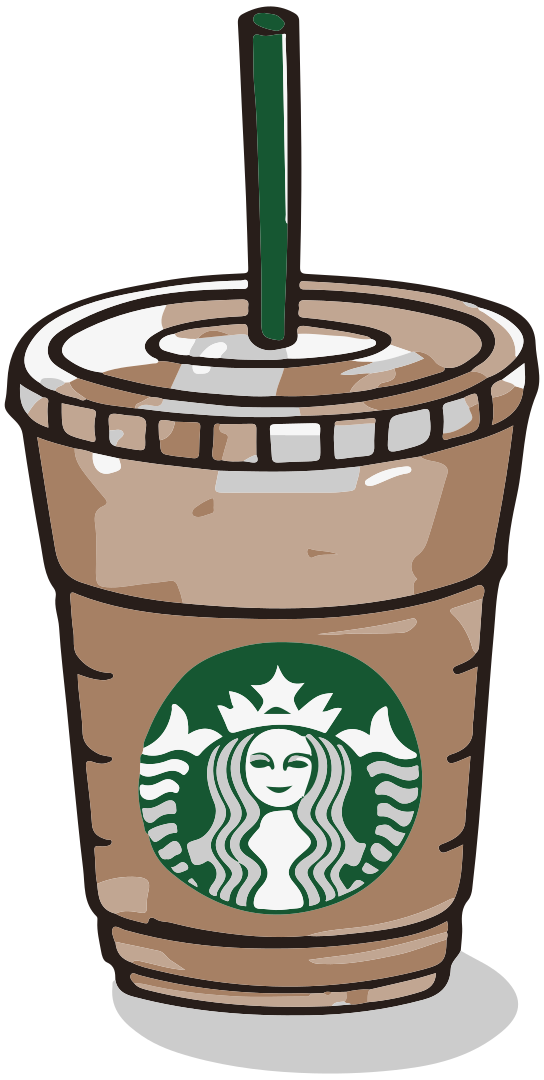
Grab Free Starbucks SVG Wraps for Cricut, Silhouette Cameo, and Brother Scan N Cut
Layered SVG cup wraps designed, tested, and ready to cut on your machine.
Every Starbucks template on freesvg.art includes individually separated layers for the full wrap, logo circle, and decorative elements — giving you complete control over colors and materials.
Create custom Starbucks cold cups using adhesive vinyl, glitter vinyl, holographic sheets, or sublimation — perfect for gifting and personal projects.
More Starbucks cup templates are added REGULARLY — bookmark this page so you never miss a new release!
Trending Now


Common Questions About Our Starbucks SVG Cup Wraps
1. Which Starbucks cup size do these SVG wraps fit? +
All cup wrap templates on freesvg.art are pre-sized for the 24oz Venti cold cup — the industry standard for custom Starbucks drinkware. Because SVG is a vector format, you can scale the design up or down inside Cricut Design Space or Silhouette Studio to perfectly fit Grande 16oz cups or any other reusable tumbler without losing quality.
2. How are the SVG layers organized inside the Starbucks template? +
Each template comes with clearly separated, color-coded layers. The background wrap, the center logo circle, and all decorative accents are grouped individually. When you import the SVG into your cutting software, every piece appears on its own layer so you can choose different vinyl colors, materials, or finishes for each section and achieve a polished, multi-tone look.
3. Can I download the file directly on my phone without unzipping? +
Absolutely — freesvg.art never compresses files into ZIP archives. The SVG and PNG download as individual, ready-to-use files. On an iPhone or iPad, tap the download link, open the file in the Cricut Design Space app, and your layered Starbucks template loads instantly. Android users follow the same simple workflow — no extraction tools or desktop computer needed.
4. How do I change the vinyl colors in my cutting software? +
Open the SVG in Cricut Design Space, Silhouette Studio, or any compatible app and each layer will appear as a separate colored group. Simply select a layer and pick any color from the palette — the software uses this color to tell you which vinyl sheet to load on the mat. This makes it easy to mix permanent vinyl, glitter vinyl, and metallic finishes across different parts of the wrap for a truly custom Starbucks cup.
5. Does the download include a high-resolution PNG for printing? +
Yes. In addition to the layered SVG, every Starbucks template on freesvg.art comes with a transparent 300 DPI PNG optimized for print workflows. Use it for sublimation printing, Print then Cut in Cricut, waterslide decals, or sticker sheets. The transparent background means no manual background removal — just place, print, and apply to your cup.
6. Which cutting machines can I use with these Starbucks SVG wraps? +
Every SVG on freesvg.art is a universal vector file compatible with all popular cutters: Cricut Maker, Cricut Explore, Cricut Joy, Silhouette Cameo, Silhouette Portrait, and Brother ScanNCut. You can also open the files in vector editors like Inkscape or Adobe Illustrator if you want to customize colors or resize layers before cutting.
7. What vinyl material should I use for a long-lasting Starbucks cup wrap? +
Permanent adhesive vinyl is ideal for Starbucks cold cups because it resists water, condensation, and light washing. Brands like Oracle 651 and Cricut Permanent Vinyl work great for a smooth finish. If you want extra sparkle, try holographic or glitter adhesive vinyl. For maximum durability, seal the completed design with a thin coat of dishwasher-safe Mod Podge or epoxy resin.
8. Any tips for applying the vinyl wrap smoothly without air bubbles? +
Clean the cup with isopropyl alcohol first to ensure a grease-free surface. Apply the transfer tape to your weeded vinyl, then position one side of the wrap against the cup seam. Roll the cup slowly while pressing with a squeegee or plastic card to avoid trapping air. If a small bubble appears, poke it gently with a weeding tool and smooth it flat. Wait at least 24 hours before hand-washing the cup for the strongest bond.